
Bring-your-own-key sounds simple at first glance. In practice, it changes how an AI workspace is governed, paid for, and trusted.
For teams adopting AI inside project management, documentation, and internal knowledge systems, BYOK is less about a checkbox and more about drawing a clear line around control. Who holds the key? Who can rotate it? Who can revoke it? Who sees the audit trail? Those questions matter when AI moves from casual experimentation into daily operations.
What BYOK means in AI workspaces
In AI workspaces, BYOK often refers to two different controls that get mixed together.
The first is a customer-supplied AI provider key or endpoint. That determines how the workspace calls a model provider, who pays for usage, and which provider policies apply. The second is a customer-managed encryption key for stored data in cloud infrastructure. That determines who controls encryption at rest, key rotation, access permissions, and key lifecycle.
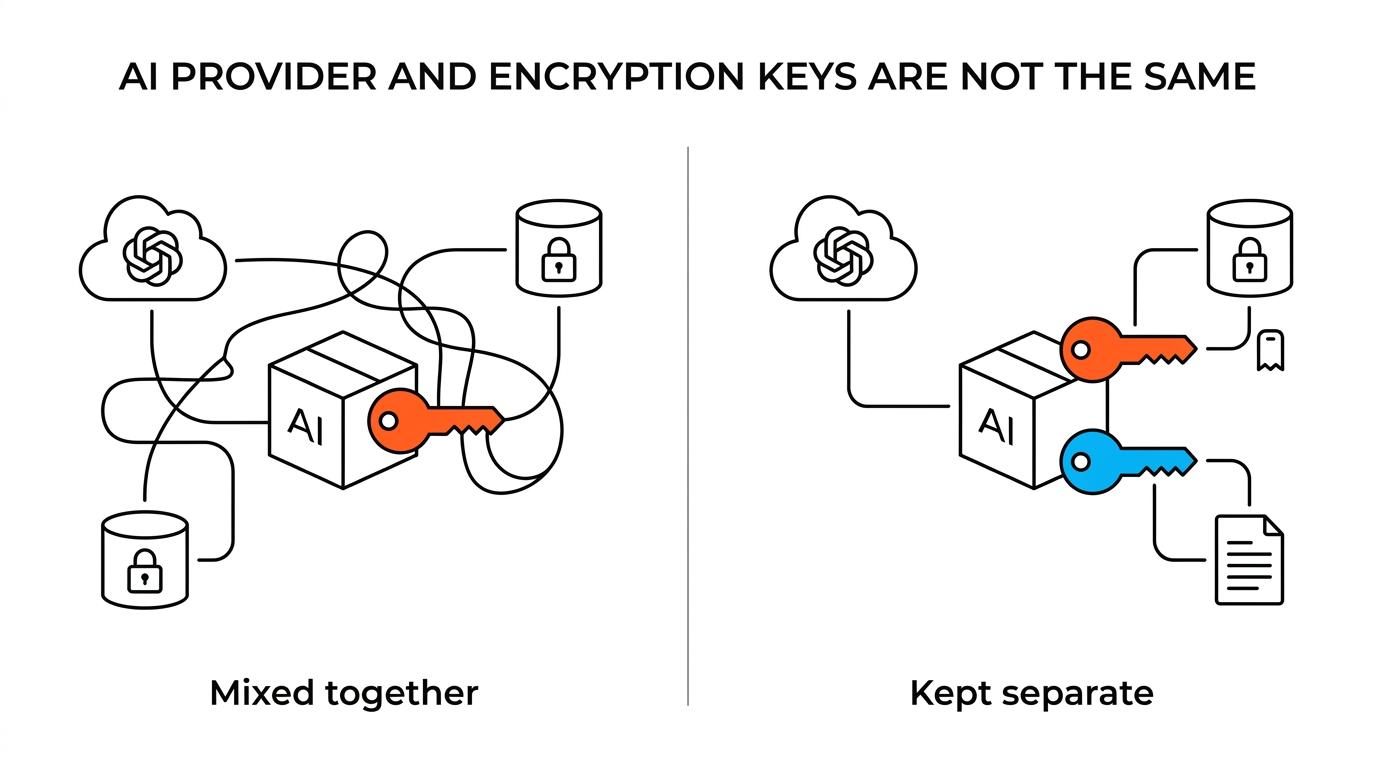
Those are not the same thing, even if teams use the same acronym for both.
A mature AI workspace should make the distinction obvious, because each key answers a different governance question. One key is about model access and billing. The other is about cryptographic control over stored data.
- AI provider key
- Encryption key for stored data
- Separate billing paths
- Separate operational risks
That distinction becomes especially useful when evaluating platforms that support both cloud and self-hosted deployments. In TOW, teams can use BYOK in cloud and self-hosted setups, and AI usage remains a separate cost item rather than something that disappears inside the software price. That is the right mental model for any serious evaluation: BYOK shifts control, not the laws of billing.
BYOK security benefits for AI workspaces
Security is where BYOK becomes more than a procurement preference.
With customer-managed encryption keys, organizations can control key location, protection level, rotation schedule, usage permissions, and cryptographic boundaries through a service like Google Cloud KMS. That means the cloud provider still runs the underlying service, but the customer defines a tighter policy perimeter around protected data. Key usage can also be tracked through audit logs, giving security teams a record of when protected resources were accessed through the key.
That level of control matters in AI workspaces because these systems tend to hold more than one category of sensitive information at the same time. A single workspace may contain product roadmaps, internal docs, incident notes, customer context, and AI-generated outputs. Once those materials live side by side, security teams want consistency across permissions, storage controls, and AI behavior.
BYOK also helps organizations keep administrative control visible. In TOW’s model, administrators can configure BYOK endpoints or disable AI entirely, with controls at the server, organization, and user levels. That kind of policy depth is valuable because AI risk rarely comes from one dramatic failure. It usually comes from small configuration gaps that accumulate over time.
A useful BYOK setup should support at least these security goals:
- Key ownership: The organization decides who can use, rotate, disable, or retire the key
- Audit visibility: Security teams can review key usage and access events
- Policy boundaries: Encryption and AI access follow explicit administrative rules
- Selective shutdown: AI can be restricted or fully disabled when policy requires it
BYOK cost model: software, AI usage, and key operations
The most common financial mistake with BYOK is assuming it lowers every cost line.
It usually does not.
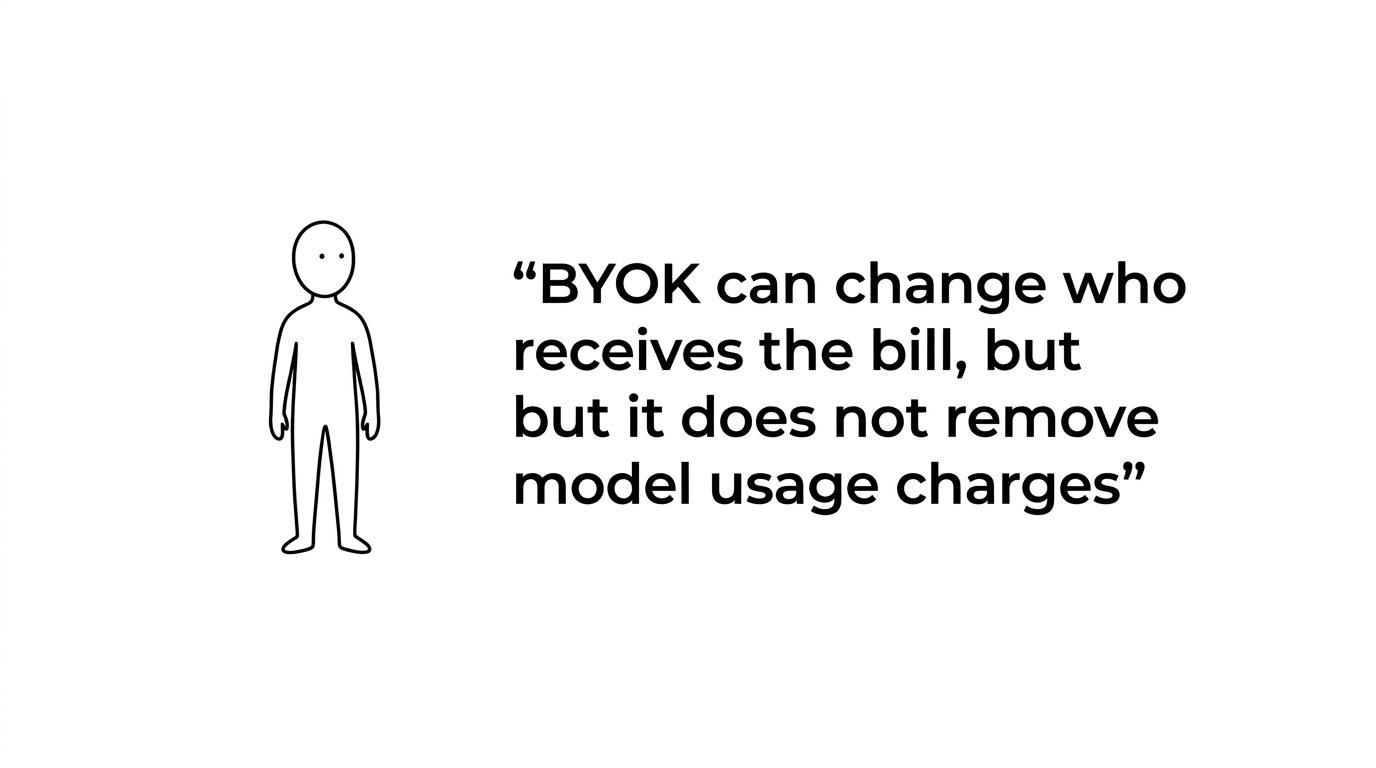
BYOK can change who receives the bill and how costs are allocated internally, but it does not remove model usage charges, infrastructure costs, or key management overhead. That is especially true in AI workspaces, where spending often comes from three separate layers at once: the workspace software, the AI provider, and the cloud key management service.
Cloud KMS pricing makes this clear. Google prices customer-managed key usage based on active key versions, protection level, and cryptographic operations. Public pricing also notes a usage charge of $0.03 per 10,000 cryptographic operations, while key admin operations are free. That may sound small, and often it is, but it is still a real operating cost attached to tighter control.
The same pattern shows up on the AI side. If a workspace lets customers bring their own AI key, the software vendor is not absorbing the provider bill. The organization still pays for model usage according to that provider’s pricing. In TOW, this separation is explicit: bring-your-own-AI-key support exists in cloud plans, and provider usage remains separate from seat pricing.
Here is a practical way to frame the cost picture:
| Cost area | What BYOK changes | What BYOK does not remove |
|---|---|---|
| Workspace software | May let teams choose cloud or self-hosted control models | Seat fees, support contracts, or negotiated service costs |
| AI provider usage | Shifts billing to the customer’s own provider account or endpoint | Token, request, or model usage charges |
| Encryption key management | Gives customer control over rotation, permissions, and lifecycle | KMS charges tied to active key versions and cryptographic operations |
| Self-hosted infrastructure | Lets teams keep workloads on their own infrastructure | Compute, storage, networking, backup, and admin effort |
This is not bad news. It is healthy clarity.
For many organizations, BYOK is worth the added spend because it produces cleaner internal cost attribution. Security, platform, and product teams can see who is consuming AI, which systems are protected by customer-managed encryption keys, and where operational responsibility sits. That visibility often matters more than squeezing every line item down to zero.
BYOK operational risk: what happens when keys are revoked
Control cuts both ways.
When a service depends on a customer-managed encryption key, revoking the service agent’s ability to use that key can make protected data inaccessible. Google’s CMEK guidance is direct on this point: if the required CryptoKey Encrypter/Decrypter access is revoked, or if the key is disabled or destroyed, protected data cannot be accessed. Some services may even face permanent data loss if the key stays unavailable for too long.
That risk is not theoretical. It is built into the design.
This is why BYOK should never be treated as a symbolic security feature. It is an operational control with immediate effects. Teams that want the power to deny access must also accept the responsibility to avoid accidental lockouts.
A few habits reduce the risk sharply:
- Change control: Require review before key disablement, destruction, or IAM changes
- Recovery planning: Document how access is restored if a key path breaks
- Service mapping: Know exactly which datasets, buckets, indexes, or services depend on each key
- Rotation testing: Validate rotation in a non-production path before broad rollout
- Timeout awareness: Track how long a disabled key can stay unavailable before data recovery becomes uncertain
This is where cloud and self-hosted strategy also matter. A self-hosted deployment may give more environmental control, but it does not remove the need for disciplined key operations. A cloud deployment may reduce infrastructure burden, but it still requires clear ownership of key lifecycle decisions.
BYOK admin controls for cloud and self-hosted AI workspaces
BYOK works best when it sits inside a broader administrative model.
An AI workspace should not ask teams to choose between flexibility and governance. It should support provider choice, permission-aware AI actions, human review where needed, and a full disable path when policy demands it. Those controls matter more than marketing language because they define how AI behaves under real organizational constraints.
In TOW, the architecture aims in that direction: one workspace for projects, docs, memory, and reviewable AI, with support for both cloud and self-hosted operation, including environments with strict security expectations. That matters because AI governance gets harder when work is fragmented across disconnected tools. If project issues live in one place, docs in another, and AI in a third, policy enforcement becomes inconsistent.
A unified workspace does not make BYOK simpler by magic. It makes it more manageable by reducing the number of surfaces where keys, permissions, and data policies drift apart.
The strongest admin patterns tend to include:
- Server-level AI controls
- Organization-level provider settings
- User-facing visibility into what AI can access
- Review steps for AI actions
- Export and migration controls
- A full path to disable AI entirely
That last item deserves emphasis. A full disable path is often overlooked in AI discussions, yet it is one of the clearest signs that administrative control is real. If a team can enable AI easily but cannot turn it off cleanly, the control model is incomplete.
BYOK adoption questions for security and platform teams
Before adopting BYOK in an AI workspace, teams should ask a few hard questions early.
These are not legal formalities. They shape day-to-day operations.
-
Which key are we talking about?
Separate AI provider credentials from customer-managed encryption keys. If those conversations blur together, cost and risk modeling will also blur. -
Who owns rotation and revocation?
Name the people or teams responsible for key lifecycle, not just the teams asking for BYOK on a requirements list. -
What happens if the key becomes unavailable?
Write down the direct effect on search, docs, attachments, indexes, or stored records. Then test the response path. -
Where does the bill land?
Map software pricing, AI provider usage, KMS operations, infrastructure, and support into one operating view so BYOK does not create accounting surprises.
A team that can answer those four questions is already in a stronger position than one that treats BYOK as a shorthand for “more secure.”
The broader shift here is encouraging. Buyers are asking sharper questions about data ownership, administrative visibility, and AI control. Platforms are responding with more explicit support for customer-managed endpoints, reviewable AI, cloud and self-hosted options, and stronger admin policy layers. That is a good direction for the market.
BYOK fits that direction well, as long as it is adopted with clear eyes. It gives teams more control over keys, provider access, and policy enforcement. It also keeps costs visible and operational responsibility close to the people making the security decision. For AI workspaces handling real company knowledge, that trade is often exactly the point.